Generate consistent, on-brand creatives from your data at scale
30 days free trial on dev server
Why keep listing visuals as a manual workflow? Unpredictable output, inconsistent branding, and constant back-and-forth don't scale. Turn it into a controlled system.
Predictable output
Faster production
Native to your platform
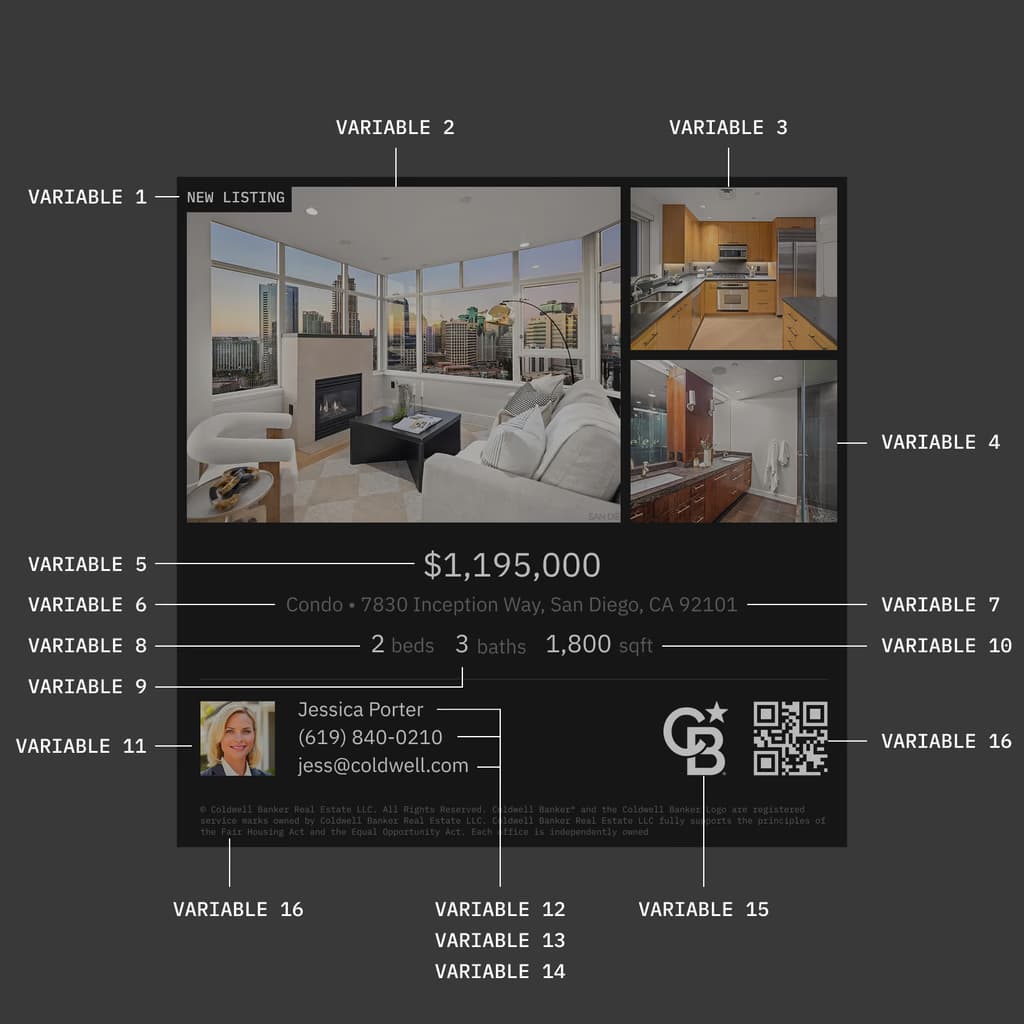
MLS / CRM data → templates → rendering → outputs (portal, ads, print)
Structured data feeds templates, templates define output, visuals are generated and delivered where listings go live.
LIVE DEMO – A BROKERAGE BRAND STUDIO FOR HEAD OFFICE AND AGENTS
How the brokerage demo works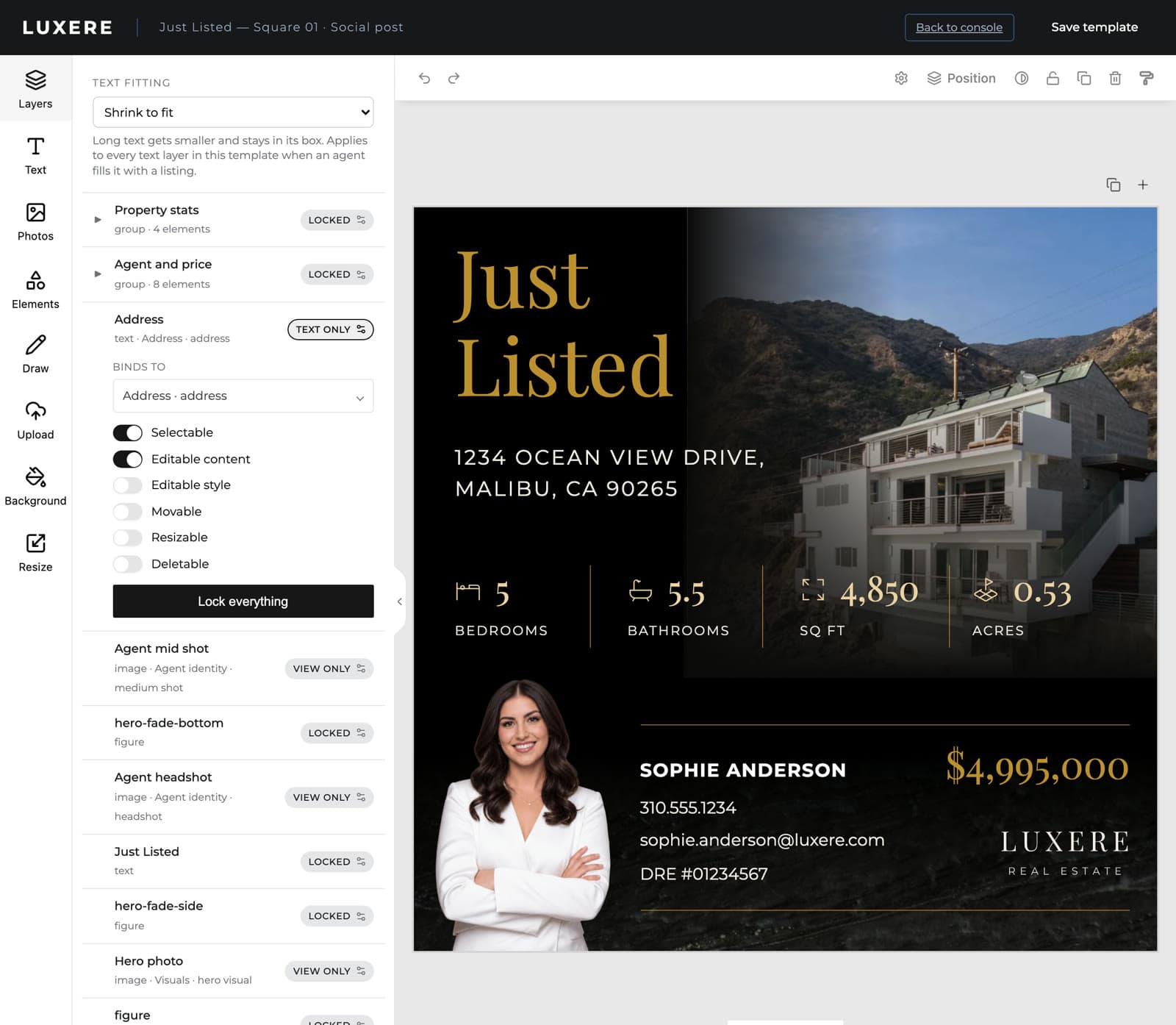
Head office owns the brand – agents fill in the listing
Hundreds of agents posting every new listing is where a brokerage brand drifts. Head office designs each template once and decides, element by element, what an agent may touch.
The complete listing visual production stack
AI, fully inside your production pipeline
Bring your own AI models and run them directly inside your listing workflow. Apply transformations like decluttering, virtual staging, or lighting fixes as part of your production pipeline, not as separate tools. You control how they're used and can extend with any models your team wants to build.
Why do fast-growing real estate platforms integrate in-app editing?
01
More listings published per agent
Agents spend less time fixing visuals and more time pushing listings live. Output per agent increases without adding workload.
02
Lower operational overhead
No coordination with designers, no revisions, no asset fixing. Less internal friction, fewer moving parts.
03
Higher quality across the board
Every listing meets the same standard, regardless of who creates it. No weak listings dragging down perception.
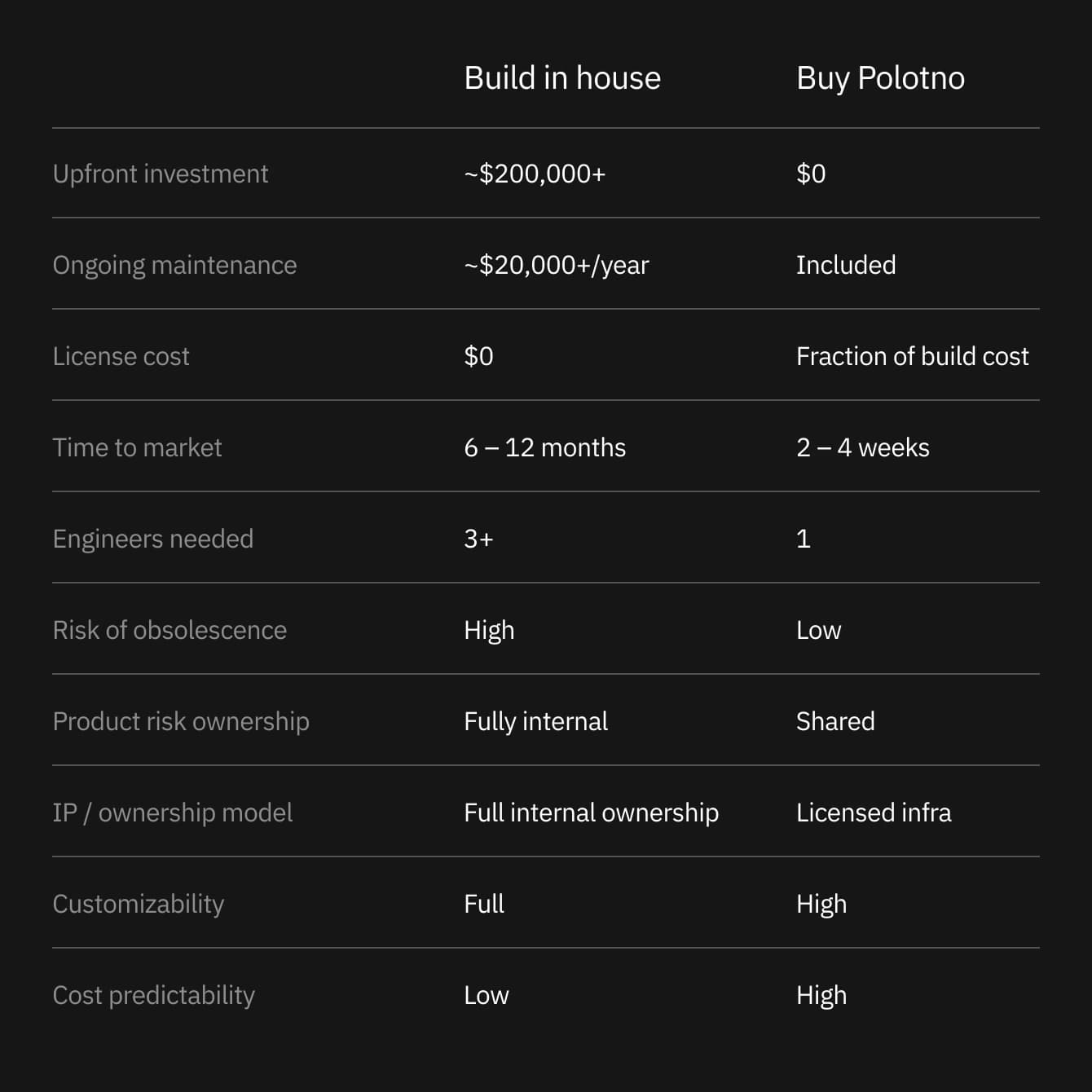
Building an editor in-house is an option. Buying Polotno is a much smarter one.
“Getting it connected and showing it in our app was pretty easy. It took us about 3 weeks.”

Rajiv Shah
Co-founder & CEO @ Someli.ai
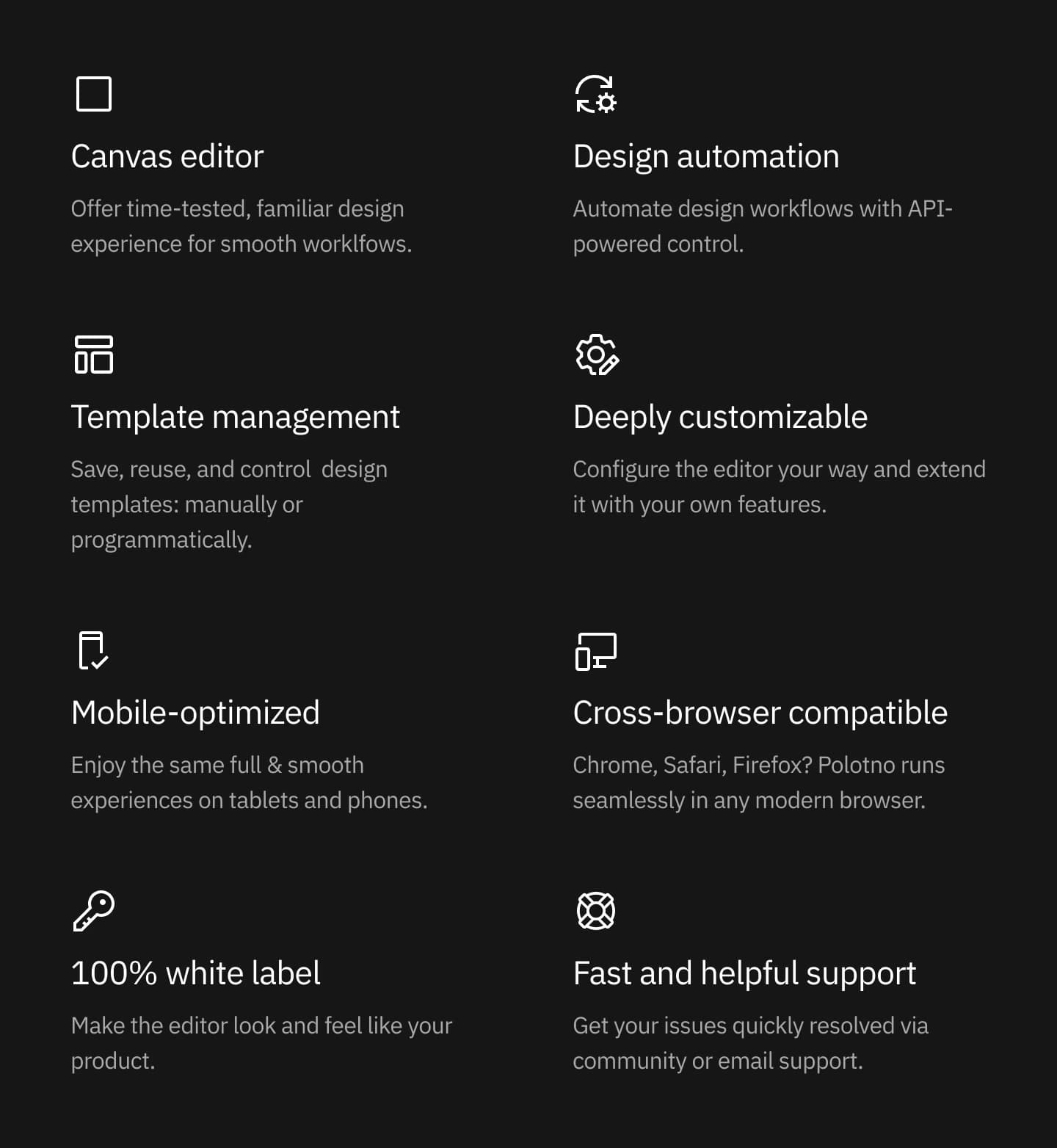
Go beyond the editor and automate design creation at scale
Scale design workflows with the API. Add, edit, and organize elements through code, handle bulk changes, and build templates from data or AI. Use the Cloud Render API for server-side rendering to deliver large volumes of production-ready files automatically.
What startup founders say on their build vs buy journey
“We scrapped the idea of going with our own prebuilt solution pretty fast. It took our design team maybe 120 hours just to get it to where it was broken and didn't work.”

Alving Garcia
Founder @ AdPerfect
Real estate platform FAQ
Q: Can head office lock parts of a template?
Q: How does listing data get into a template?
Q: What happens when a listing is missing a field?
Q: Can listing visuals be produced without an agent?
Smart AI tech leaders don't solve solved problems – they integrate and scale
TRUSTED BY
100,000+
CREATORS
300+
BUSINESSES